Android TV launcher
Hafif Ev
Your TV's home screen, as light as it should be.
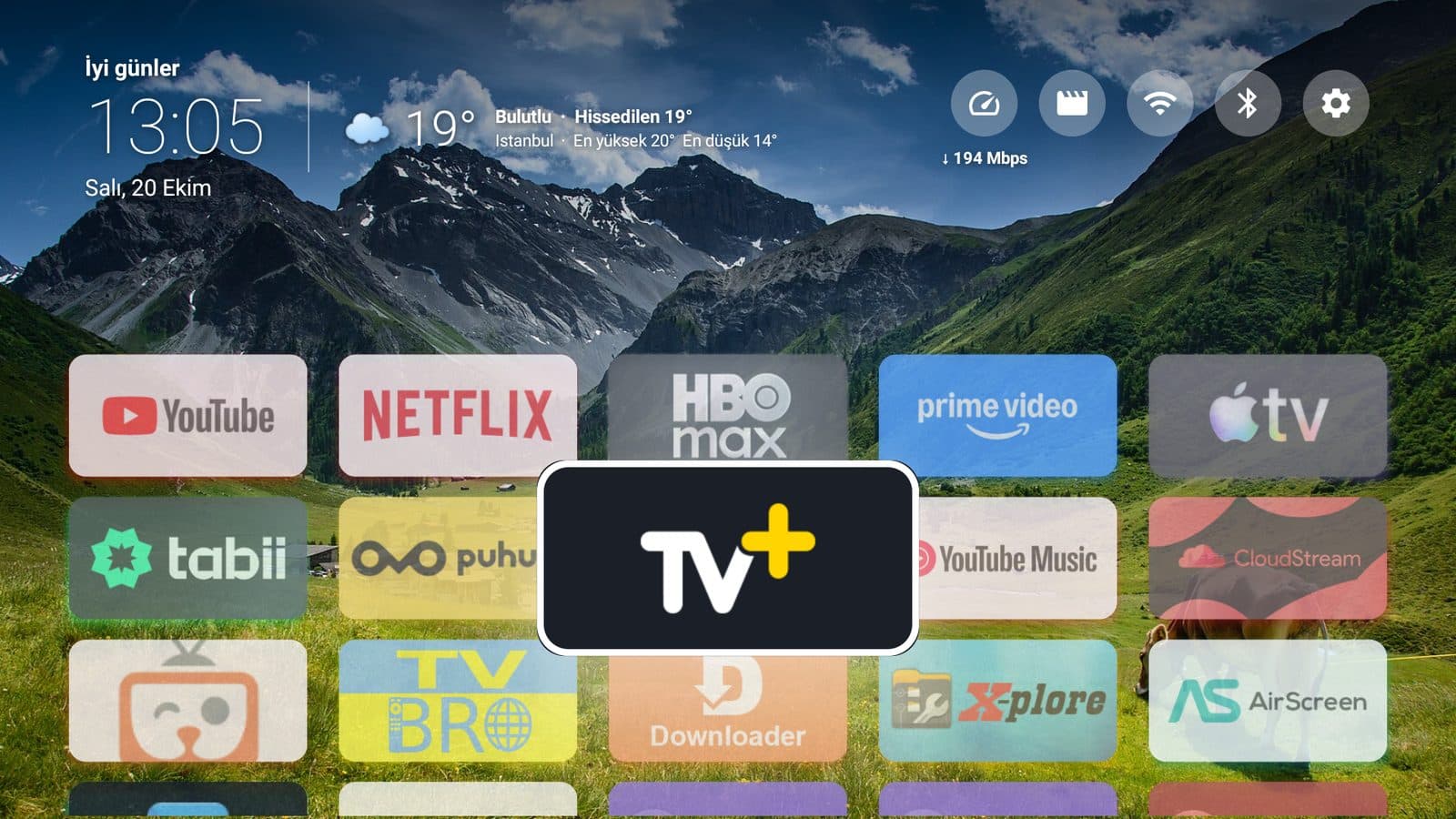
Hafif Ev is a simple home screen I wrote for Android TV and TV boxes. No unnecessary suggestions and no clutter: your clock, weather, internet speed and apps are all visible at a glance.
About 0.8 MB · Android TV
01What it offers
Everything you need, nothing you don't
Clock and greeting
An opening screen that greets you by the time of day and shows the date and time in large type.
Live weather
Temperature, feels-like, and the day's high and low; it updates from the internet automatically.
Internet speed and shortcuts
Shows your download speed in Mbps; one press takes you to Wi-Fi, Bluetooth and settings.
App grid
Cards are easy to browse with the remote; the selected card grows and comes forward.
Screen saver
A simple screen saver that starts when the TV is idle and matches the home screen.
Light and fast
Small, simple and fast, as the name says: it takes little space and opens right away.
02Try it live
Take the remote in your hand
13:05
Selected: TV+
Try it like a TV remote: press the buttons, hover over the cards, or click the grid and use the keyboard arrow keys.
03Installation
Set it up on your TV in three steps
- 1
Step 1
Get the APK onto your TV
Open an app like Downloader on your TV and enter the download link from this page, or carry the APK over on a USB drive.
- 2
Step 2
Install
If asked, allow installation from unknown sources and press Install.
- 3
Step 3
Make it your home screen
Open Hafif Ev. If you like, choose it as the default home screen in your TV settings.
Ready?
About 0.8 MB · Android TV
04Coming up
More apps are on the way
Droplet
Breathe your way to the sea.